

Running a tutoring business shouldn't mean working in multiple spreadsheets, chasing down payments, and trying to coordinate schedules across multiple apps. But that's exactly what happens when you're stuck with generic tools that weren't designed for education.
The right CRM (customer relationship management) system can organize customer data and automate processes across sales, marketing, and customer communications to streamline operations and increase profits. Choosing the right CRM for your tutoring business can deliver you from administrative chaos to smooth operations.
The key is knowing which features matter most for your specific situation and growth goals.
TLDR:
Choose a CRM with integrated scheduling, billing, and student management (instead of generic sales tools).
A good tutoring business CRM allows communications with both parents and students while maintaining appropriate boundaries.
Solo tutors need basic features while organizations with multiple tutors may require enterprise-level automation.
Noto consolidates all tutoring business operations into one purpose-built system for lesson-based businesses.
Key CRM Features for Tutoring Businesses
There are lots of CRM tools on the market. Generic CRMs focus on sales pipelines, but tutoring businesses need tools that facilitate smooth communications with students and (often) their parents.
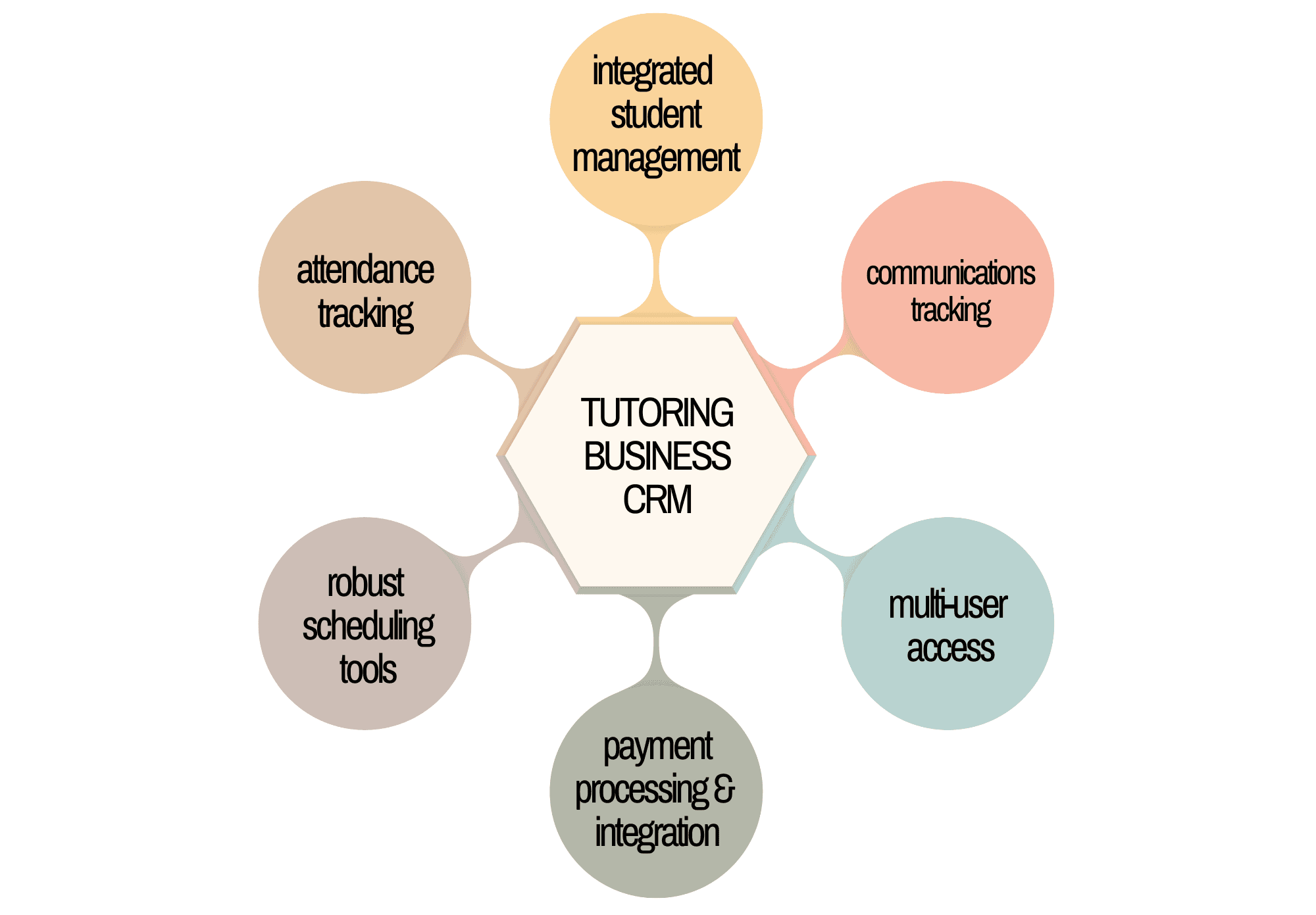
An important feature to look for when you're considering a CRM is integrated student management that goes beyond basic contact storage. Your CRM should track each student's learning progress, attendance patterns, and parent communication preferences.
You also need a system that integrates key features such as scheduling and payment processing.
Multi-user access control becomes important as you grow: 89% of tutoring software users rated this feature as important because tutoring businesses need different permission levels for administrators, teachers, and support staff.
Communication tracking designed for parent-teacher-student relationships makes a huge difference. Many generic CRMs treat every contact the same way, but many tutoring businesses need to manage communications with both parents and students.
Payment integration with education-focused billing cycles (like monthly tuition, class packages, or makeup lesson credits) should be built into your CRM. This prevents the administrative headaches that come with changing systems down the road.
Finally, your CRM should include attendance tracking that automatically syncs with billing and staff payroll calculations.
Business Size Considerations and CRM Requirements
Your tutoring business size is one factor in determining which CRM features you need.
Solo Tutors and Small Teams
Solo tutors need simplicity. Basic contact management, simple scheduling, and straightforward billing often suffice when you're personally managing 10 to 20 students.
Small teams with several tutors have some different needs: staff scheduling coordination, basic permission controls, and shared student information access. Communication becomes more complex when parents might interact with multiple team members.
The transition point often hits when you reach five or more tutors. That's when manual coordination breaks down and you need automated scheduling conflicts prevention and centralized communication tracking.
Medium to Large Tutoring Centers
Operations with 10 or more tutors require enterprise-level functionality, as manual scheduling and payment handling can become overwhelming.
Scaling operations efficiently becomes nearly impossible without the right CRM infrastructure in place.
Large tutoring businesses need advanced reporting, multi-location support, and complex billing scenarios in order to manage hundreds of students, dozens of staff members, and complex scheduling across multiple rooms or locations.
Operations with multiple locations also need location-based management features. Your CRM needs to handle different staff permissions, location-based reporting, and coordinated marketing efforts.
If you expect to grow even a little bit, choosing a system that grows with you is important (so you can avoid expensive migrations later). Noto offers scalable plans designed for growth .
Automation and Speed Benefits
CRM automation changes tutoring businesses from reactive administrative nightmares into proactive, smooth operations. The difference between manual processes and automated workflows often determines whether a tutoring business thrives or burns out from administrative overload.
Time Recovery Through Automation
The most immediate impact comes from eliminating repetitive tasks and manual work. Using only one system prevents having to transfer information from one app to another, or to look in one app for information you need while using another.
Automated scheduling prevents the endless back-and-forth emails that plague manual booking systems. Students and parents can book, reschedule, or cancel lessons through self-service portals, while the system automatically updates teacher calendars and prevents double-bookings.
Payment automation eliminates the monthly chase for tuition payments. Instead of sending individual invoices and following up on late payments, automated billing processes payments on schedule and sends gentle reminders when needed.
Productivity and Revenue Impact
Making administrative tasks simpler means tutors have more time for teaching, and that leads to higher revenue potential.
Automated attendance tracking and no-show management also make a measurable difference. Some tutoring centers have shown that no-show rates may drop by as much as 30% when using automated scheduling and reminder features.
A good example of this is Noto's rescheduler functionality, which prevents lost revenue from cancelations by automatically offering alternative time slots to other students. (Automated bank payments are another way that Noto helps you hang on to your profits.)
Scalability and Growth Management
The wrong CRM choice becomes painfully obvious when your tutoring business starts growing. What worked for 20 students suddenly breaks down at 100, and systems that handled two tutors crash under the weight of a dozen staff members.
Technical Infrastructure That Grows
Scalable CRM systems handle greater workloads without slowing down as your customer data and processes become more complex.
This matters because growth brings challenges that many basic CRMs can't handle. As your business grows, so does your customer base and the number of employees who need system access with different permission levels.
Multi-location management may become necessary as you expand. Your CRM will need to handle location-specific scheduling, staff assignments, and financial reporting while maintaining centralized oversight.
Advanced user management is also non-negotiable for larger organizations. You need granular permissions for administrators, teachers, support staff, and location managers without creating security vulnerabilities or workflow bottlenecks.
Noto handles these scalability challenges through enterprise-grade infrastructure that grows with your business, from solo tutors to multi-location operations.
Integration Features and Technical Requirements
Your CRM's ability to connect with existing tools determines whether it improves operations or creates new bottlenecks. Most tutoring businesses already use video conferencing, accounting software, or marketing tools that need to work together smoothly.
Key Integration Points
Calendar synchronization is probably the most important integration. Teachers need their CRM schedules to sync with Google Calendar without manual updates. This prevents double-bookings and keeps everyone's personal and professional calendars aligned.
Payment processing integration goes beyond basic credit card acceptance. API integrations with payment gateways improve automation and speed by connecting billing cycles with attendance tracking and automated invoicing.
Video conferencing integration has been a must-have since 2020. Your CRM should send online meeting links to students, and track attendance for online sessions without requiring separate logins or manual coordination.
Email marketing integration allows you to segment students and parents for targeted communications. Whether you're announcing new programs or sending progress updates, your CRM should connect with your existing email tools.
Technical Infrastructure Considerations
Security features that protect student data and maintain privacy and comply with data protection regulations are necessary for any tutoring business. Your CRM needs strong encryption and access controls.
API availability determines future flexibility. Noto provides integration options that grow with your technical needs instead of locking you into rigid workflows.
Implementation Best Practices
Successful CRM implementation starts long before you sign up for any software. The businesses that struggle most are those that jump into new systems without proper planning or realistic expectations about the transition process.
Pre-Implementation Planning
Document your current workflows before changing anything. Map out how students currently register, how you handle scheduling conflicts, and where communication breakdowns happen most often. This baseline helps you measure improvement later.
Create a realistic timeline that accounts for data migration and staff training.
Avoiding Common Pitfalls
The biggest mistake is trying to replicate your old system exactly in the new CRM. Don't force new software to work like your old system: adapt your processes to use the new features instead.
Staff resistance kills more CRM implementations than technical problems. Start training key team members early and identify champions who can help others adapt.
Data migration requires careful attention to detail. Clean up duplicate contacts, standardize naming conventions, and verify important information before importing. Poor data quality creates problems that compound over time.
Deployment Strategy
Phase your rollout by switching things gradually. Start with basic contact management and scheduling, then slowly add billing, reporting, and advanced features as your team becomes comfortable.
It's wise to avoid changing systems during peak enrollment periods or right before major events.
How Noto Helps Tutoring Businesses
Unlike generic CRMs that force tutoring businesses into sales-focused workflows, Noto was built from the ground up for lesson-based businesses. This purpose-built approach eliminates the compromises and workarounds that plague businesses using adapted software.
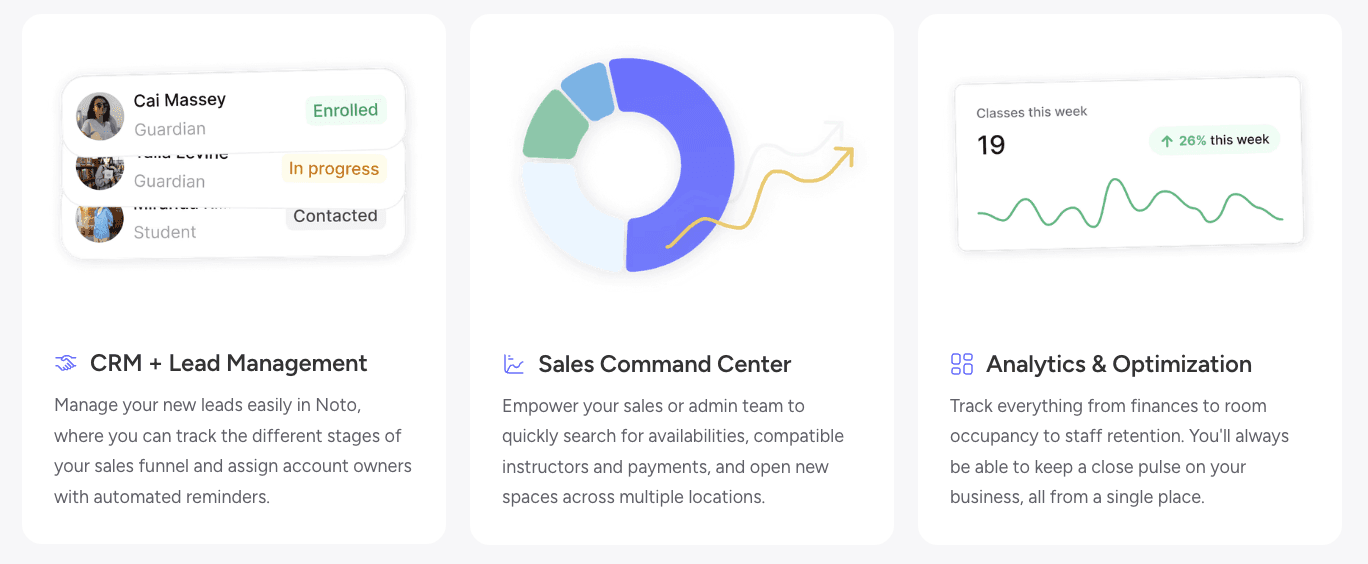
The integrated approach consolidates class registration, scheduling, billing, CRM, messaging, and analytics so owners can focus on teaching instead of administration. Everything works together smoothly within one system.
Lead Management That Converts
Noto's CRM tracks leads through user-customizable stages, assigns account owners, and automates reminders while integrating with Gmail and forms so inquiries convert directly into leads. This eliminates the manual data entry that hurts conversion rates in most tutoring businesses.
The system automatically puts website inquiries, phone calls, and walk-in prospects into organized pipelines. Parents don't fall through cracks because follow-up reminders and next steps are automated based on lead stage and interaction history.
Noto's lead management changes scattered inquiries into organized conversion opportunities without manual intervention.
Financial Optimization Through Smart Payments
Direct bank payments are among Noto's most impactful features. Switching clients from credit card payments to direct bank payments can reduce processing fees by up to thousands of dollars per month (depending on the size of the business). Flexible payment options accommodate different family preferences while steering toward cost-effective methods.
FAQ
What's the difference between a tutoring CRM and a generic business CRM?
Tutoring CRMs are purpose-built for lesson-based businesses and integrate student management, scheduling, and education-specific billing cycles in one system. Generic CRMs focus on sales pipelines and require workarounds for attendance tracking, parent-teacher-student communication, and recurring lesson scheduling.
Can CRM automation really save lots of time for tutoring businesses?
Yes, modern CRM automation can eliminate many repetitive tasks like manual scheduling, payment chasing, and attendance tracking.
What should I avoid when implementing a new CRM system?
Don't try to replicate your old system exactly in the new CRM. This prevents you from benefiting from improved workflows and automation. Avoid switching during peak enrollment periods, and phase your rollout gradually starting with basic features before adding advanced functionality as your team adapts.
Final Thoughts on Choosing the Right CRM for Your Tutoring Business
The right CRM changes administrative chaos into smooth operations that actually support your teaching mission. Your choice should eliminate the juggling act between multiple tools while growing with your business needs. Noto handles these challenges through purpose-built features that understand how tutoring businesses actually work.