

Running a music school or tutoring business means fielding lots of inquiries from parents who want to know about lessons, pricing, and availability. Keeping track of these conversations and following up on them are key to enrolling new students. But when you're communicating by email, over text messages, on the phone, in person, and on social media platforms, that can be difficult. This is why you need a CRM (customer relationship management) solution.
In this post, we'll explain why a good CRM can make a big difference for your business.
TLDR:
Business software solutions for lesson-based businesses should offer CRM, billing, and scheduling tools through one platform.
Noto users have seen conversion rates increase by as much as 22%, thanks to Noto's dedicated CRM preventing lost inquiries.
Noto also allows ACH payments, which can cut payment processing fees from around 3% to around 0.5%. Depending on the size of your business, this could save thousands of dollars each month.
Noto combines CRM, scheduling, billing, and parent communication, so you can easily manage the inquiry-to-enrollment pipeline.
What Are CRM Systems for Music Schools and Tutoring Centers?
A CRM system for music schools and tutoring centers is specialized software built for lesson-based businesses. These systems provide traditional CRM functions while meeting the business needs of education businesses.
Leading all-purpose CRMs like HubSpot and Salesforce track leads and conversions, while education-focused CRMs manage the entire student lifecycle. This includes capturing inquiries, nurturing prospects through enrollment, coordinating trial lessons, handling registrations, and maintaining parent communication. They let you track a lead from their first website inquiry through their trial lesson to enrollment and retention without switching between systems or losing information.
Integration with daily operations is key. The best education business CRMs include lesson scheduling, automated billing and invoicing, parent and teacher portals, attendance tracking, and student progress notes. This prevents having to juggle separate tools for scheduling, payments, and communications.
Five Key Features of CRM Systems for Music Schools
When you're choosing a CRM solution, look for these key features:
Lead management capabilities: This includes the ability to capture inquiries from and then assign and track follow-up tasks. The best systems prevent leads from falling through the cracks with automated reminders and clear pipeline visibility. An important aspect of lead management is forms: having an embedded Contact Us form, for example, allows you to have all your information in one place.
Scheduling and billing integration: Having separate tools creates data entry headaches and missed opportunities. Look for systems that connect lead management to class registration, payment collection, and invoicing.
Communication tools: Schools need unified messaging across email, SMS, and in-app channels. Look for systems that keep all parent and student conversations in one place with full visibility for administrators.
Ease of use: The education CRM market is growing because schools want simpler solutions. You should expect an intuitive interface that doesn't require technical expertise or lengthy training.
Reporting and analytics: You need visibility into conversion rates, enrollment trends, and revenue metrics to make informed decisions about your business.
Task management system integration: For music schools and tutoring centers, a lot of leads require follow-ups. An integrated task management system allows you to assign follow-ups to different staff, and set due dates and automatic reminders.
Why Noto Is the Best Overall CRM Solution for Lesson-Based Businesses
Noto's CRM features for tutoring centers and music schools will help you turn queries into clients. It has tools for keeping track of inquiries and can send automatic reminders so you never forget to follow up. Noto's features enable you to nurture prospects, coordinate trial lessons, handle registrations, and maintain communication with students and their parents.
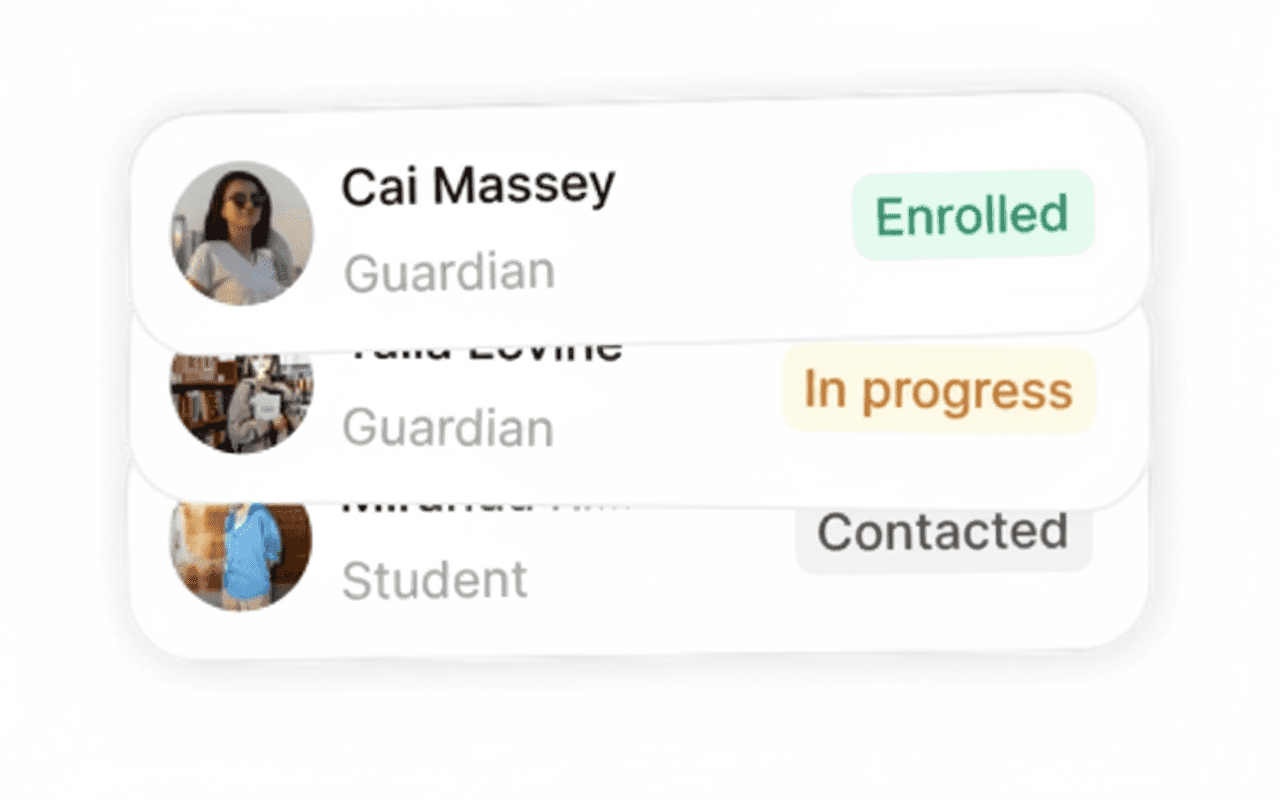
The CRM captures every prospect through custom forms on your website and assigns them to staff with automatic follow-up reminders, while the system connects lead management directly to your operations. When a lead is ready to enroll, you can schedule a trial lesson and convert them to an active student within the same conversation. A unified inbox combines email, SMS, and in-app messages in one place.
Noto also tracks lead sources and movement through your sales funnel, giving you visibility into conversion rates and which marketing efforts generate enrollments. All interactions are logged automatically so your team can view conversation history and next steps for each prospect.
Other Solutions to Consider
There are multiple education- and lesson-based business solutions on the market; here's how they stack up against Noto:
Jackrabbit Class
Jackrabbit Class provides class management software for youth activity centers including music schools. The system focuses on scheduling and billing for group classes with online registration tools and parent portal access. Features include:
Online registration and class scheduling tools that let families browse and book classes directly.
Payment processing and billing management for recurring tuition and one-time fees.
A parent portal where families can view schedules, make payments, and update account information.
Basic reporting on enrollment numbers, revenue, and attendance patterns.
Jackrabbit works well for established music schools running primarily group classes that need straightforward scheduling and billing. If you have an existing student base and minimal lead generation needs, the core features handle day-to-day operations.
However, it lacks CRM functionality. Jackrabbit doesn't provide lead management tools natively, sales pipeline tracking, or automated follow-up reminders.
Bottom line: Jackrabbit handles class operations well but doesn't provide CRM functionality.
My Music Staff
My Music Staff provides studio management software designed for individual music teachers and smaller music schools. Features include:
Lesson scheduling and calendar management tools that handle basic appointment booking and teacher availability.
Invoice creation and payment tracking for straightforward billing workflows.
Student progress notes and attendance records to document lesson history.
Basic communication tools for parent and student messaging.
The system works well for solo music teachers and small studios that need simple scheduling and billing without complex multi-location requirements, but larger businesses (five or more teachers) may find that the amount of manual work required for schedule arrangement and managing makeup credits becomes overwhelming.
My Music Staff also lacks sophisticated lead management and sales pipeline tracking. You'll need a separate system to capture and nurture inquiries through enrollment.
Bottom line: My Music Staff is best suited for individual instructors, but it doesn't provide the CRM depth or scalability that established music schools with multiple teachers require.
TutorCruncher
TutorCruncher provides tutoring management software with scheduling, payment processing, and basic client management features. The system was built for tutoring agencies that coordinate multiple tutors across various subjects and student needs. Features include:
Tutor and student scheduling system for coordinating appointments across multiple instructors.
Automated invoicing and payment processing with configurable billing rules.
Analytics and reporting tools for tracking revenue and tutor utilization.
Website integration capabilities to embed booking widgets and forms.
TutorCruncher works for tutoring agencies managing complex scheduling arrangements across many tutors. If you're coordinating dozens of independent contractors, the system provides the infrastructure to handle assignments and payouts.
But the drawbacks are notable for U.S.-based businesses. There's no option for clients to pay via ACH bank transfers, forcing you to absorb higher credit card processing fees. The interface feels enterprise-heavy and may take some time to learn. Mobile functionality is also limited.
Bottom line: TutorCruncher is well suited to large businesses that offer tutoring across multiple subjects. However, many users may find it unintuitive, and it doesn't allow ACH payments.
Sawyer
Sawyer focuses on children's activity registration and management, with online booking for after-school programs and recreation providers. Features include:
Online registration and scheduling that lets families browse and sign up for activities.
Payment processing and billing for collecting tuition and fees.
Parent communication portal for updates and announcements.
Activity marketplace integration that lists your programs on Sawyer's discovery site.
Sawyer works well for after-school programs and children's activity providers who want marketplace exposure to attract new families browsing for local classes.
The biggest limitation is inflexibility with schedule changes. You cannot change a date on an activity without deleting all enrollments, changing the date, and manually re-entering every enrollment.
Cost is another barrier. Smaller schools have reported difficulty covering Sawyer's monthly fees.
Bottom line: Sawyer is good for children's programs seeking marketplace visibility but offers limited flexibility and is relatively expensive.
Feature Comparison Table of CRM Systems
Feature | Noto | Jackrabbit Class | My Music Staff | TutorCruncher | Sawyer |
|---|---|---|---|---|---|
CRM & Lead Management | ✅ Full pipeline tracking | ❌ Basic contact management | ❌ Limited tracking | ⚠️ Basic client management | ❌ Registration focused |
Automated Follow-up | ✅ Customizable reminders | ❌ Manual outreach | ❌ Limited automation | ⚠️ Basic reminders | ❌ Limited automation |
Custom Intake Forms | ✅ Full form builder | ⚠️ Basic forms | ❌ Limited forms | ⚠️ Website integration | ⚠️ Standard registration |
Unified Communications | ✅ Email, SMS, in-app | ⚠️ Email and SMS | ⚠️ Basic messaging | ⚠️ Email focused | ⚠️ Parent portal |
ACH Payment Processing | ✅ 0.5% fees | ❌ Credit cards only | ⚠️ Limited options | ❌ No ACH for U.S. | ⚠️ Standard processing |
Multi-location Support | ✅ Unlimited locations | ✅ Multi-location | ❌ Single location focus | ⚠️ Limited support | ⚠️ Location management |
Most competitors focus on scheduling or billing but treat lead management as secondary. This forces schools to use separate CRM tools or track inquiries manually, creating gaps where prospects can fall through.
Why Noto Is the Best CRM System for Music Schools and Tutoring Centers
The difference comes down to integration. When your CRM lives separate from scheduling and billing, you're manually transferring information between systems. That creates gaps where inquiries get lost and enrollment opportunities slip away.
A lead fills out your website form, gets assigned to staff with automated follow-up, books their trial lesson, and converts to a paying student without switching tools or re-entering data. Schools using dedicated CRM systems often see increased conversion rates because fewer prospects fall through the cracks.
Many competitors excel at either scheduling or billing but treat lead management as an afterthought. Noto offers full-featured CRM alongside class operations, parent communication, and revenue tracking.
Final Thoughts on Selecting CRM Software for Education Businesses
A good lesson business lead management system does more than track names and emails. It connects your entire enrollment process from first inquiry through active student without manual data entry, so you can convert more leads and spend less time switching between tools.
FAQ
What is the main difference between a generic CRM and an education CRM?
Generic CRMs like HubSpot track leads and deals, while education CRMs manage the complete student lifecycle from inquiry through enrollment and retention. Education CRMs integrate scheduling, billing, attendance tracking, and parent communication directly into lead management, eliminating the need for multiple disconnected tools.
How do I capture and track leads from my music school website?
Use custom intake forms that connect directly to your CRM system. When prospects fill out forms on your website, their information should automatically populate in your database, trigger staff notifications, and create follow-up tasks so no inquiry gets missed.
Can I reduce payment processing fees for my tutoring center?
Accepting ACH bank transfers instead of credit cards can reduce this cost. Credit card processing typically costs around 3% per transaction, while ACH processing costs only around 0.5%, potentially saving thousands of dollars monthly for schools with many students.
When should I switch from separate scheduling and billing tools to an integrated system?
If you're manually transferring student information between systems, losing track of inquiries, or spending more than five hours per week on administrative tasks, an integrated system will save time and prevent leads from falling through the cracks.